

Whether you’re kicking off a new season, hosting an event, or organizing a convention, GroupSpot makes it easy to open registration to your members. By combining forms and payments into one seamless experience, Registrations remove the hassle of managing sign-ups across multiple tools.
Like other GroupSpot add-ons, Registrations are simple to use. Just note that Registrations are available exclusively to GroupSpot Premium customers.
Registrations can be created in two ways: you can build one from scratch directly within a new post, or you can create a registration ahead of time and attach it to a post when you’re ready. Let’s look at both options.
1. Before getting started, make sure your group has upgraded to GroupSpot Premium and that your bank details have been added. This allows GroupSpot to process payments and send your payout once registration closes.
2. With the above in place, start by choosing your post type, standard Post or Event, depending on the nature of your registration.
3. Every post requires a Title and includes an optional Description. Because registrations involve payments, we recommend using the description to clearly outline what members are signing up for and what their purchase includes.
4. If your registration is tied to an event such as an end-of-season banquet or a convention, add your date, time, Location, and Reminders. Dress up your post with a Photo, Album, or even a Save-the-Date Status.
5. Tap the + icon in the bottom right corner to open the add-on drawer, then select Registration from the menu.
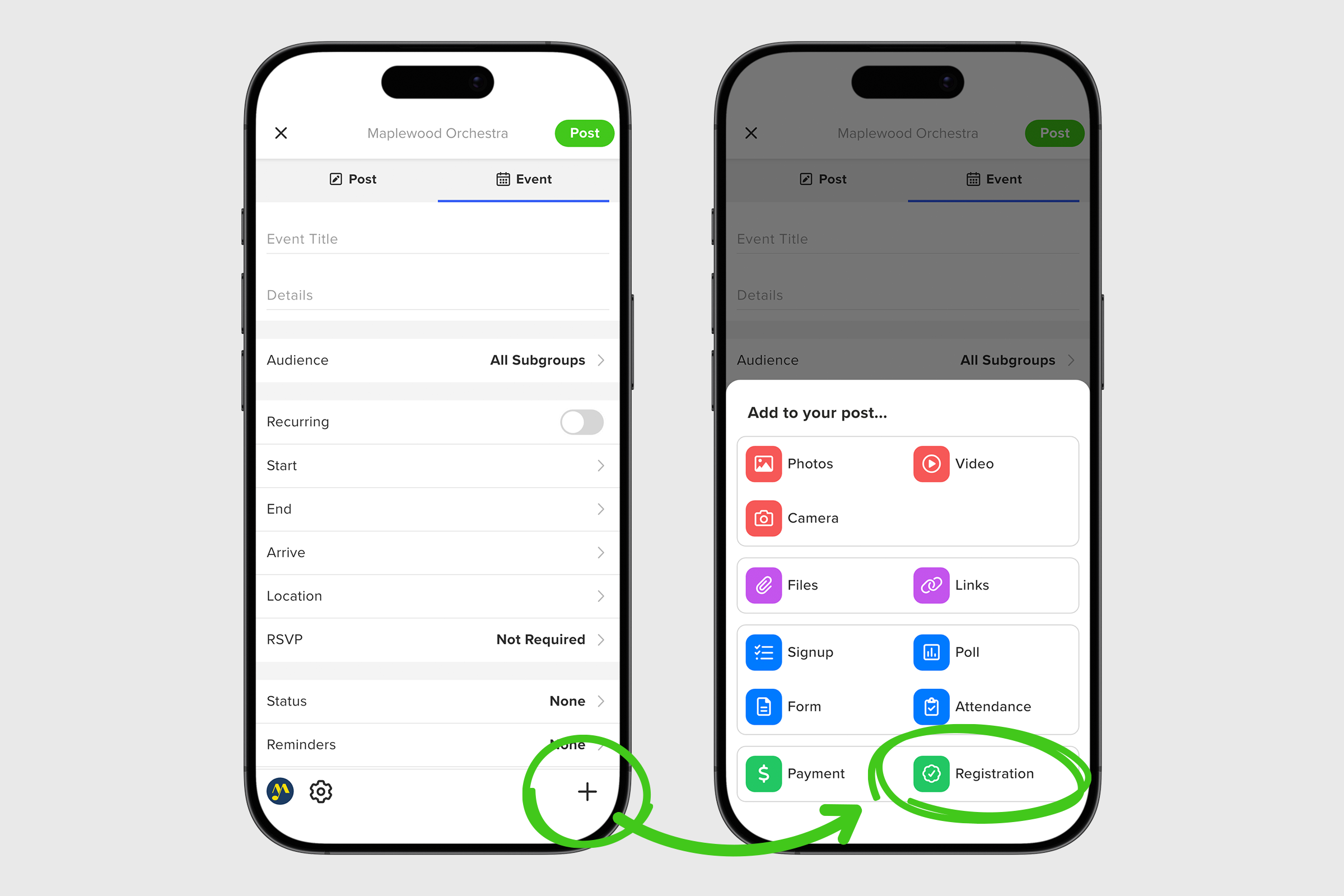
6. Tap the + icon in the top right of the Connect Registration screen to create a new registration. If no other Registrations are present, you can also click the Create a Registration button in the center.
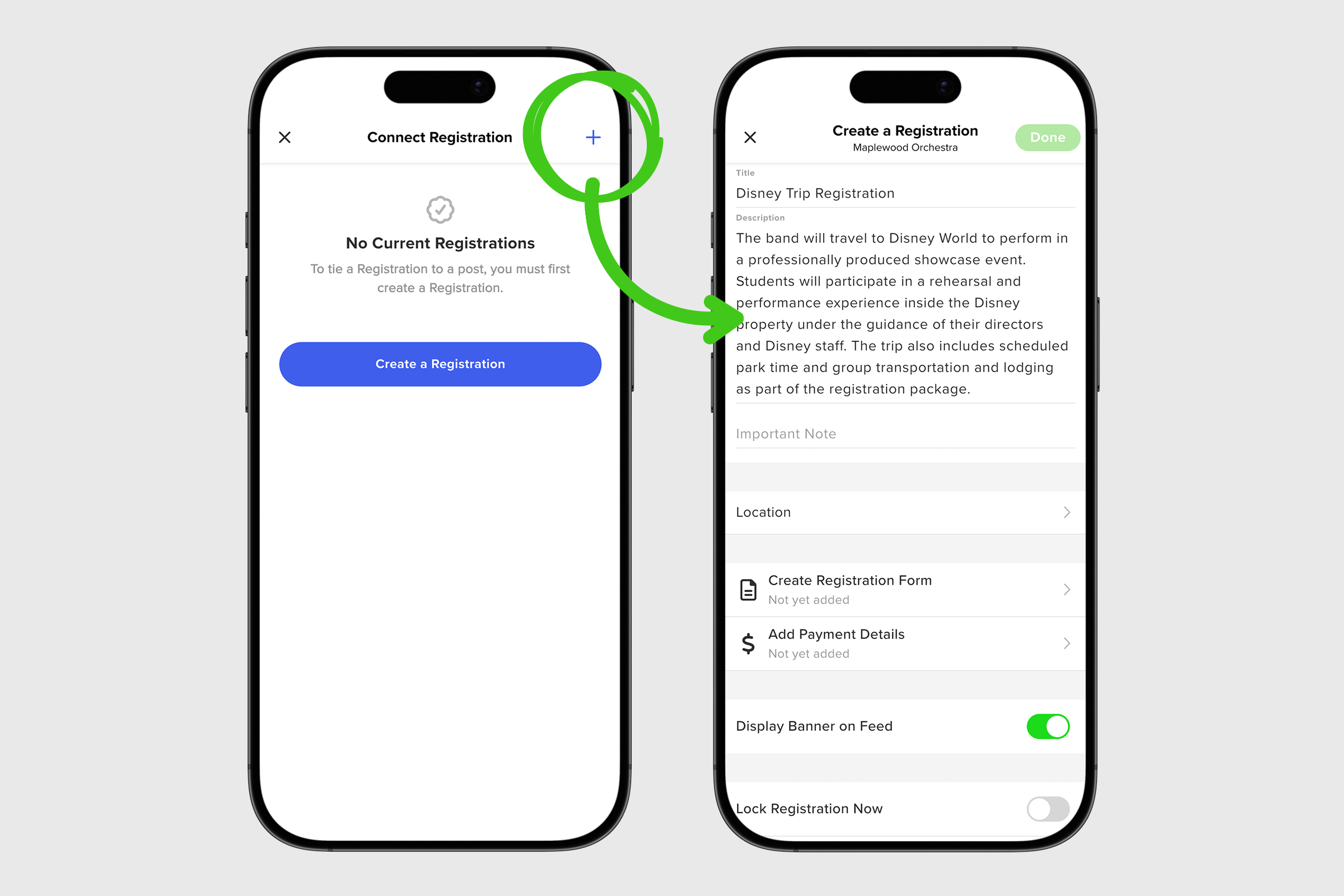
7. On your new screen, add all your important registration information: Registration Title, Description, and Important Note.
8. Next, tap Create Registration Form to build your form. Add your questions, mark any required fields, and choose whether you want to save the form for future use. When finished, tap DONE to return to the registration screen.
9. Now tap Add Payment Details. Choose your payment type (One Item, Multi-Item, or Donation) then set the Payment Amount and Available Quantity (if applicable). You’ll also select who covers the transaction fee and whether to allow offline payments such as cash or check.
10. If you have any Important Information to share with registrants, you can add it here before tapping DONE to return to the registration screen.
11. Finally, decide whether you’d like to display a Registration banner in your feed to highlight that registration is open. You can also choose to automatically close registration on a future date or manually close it later by toggling Lock Registration Now.
12. Once everything looks good, tap DONE again and you can add your new registration to your post on the Connect Registration screen by selecting the correct registration and tapping done to return to your create post screen.
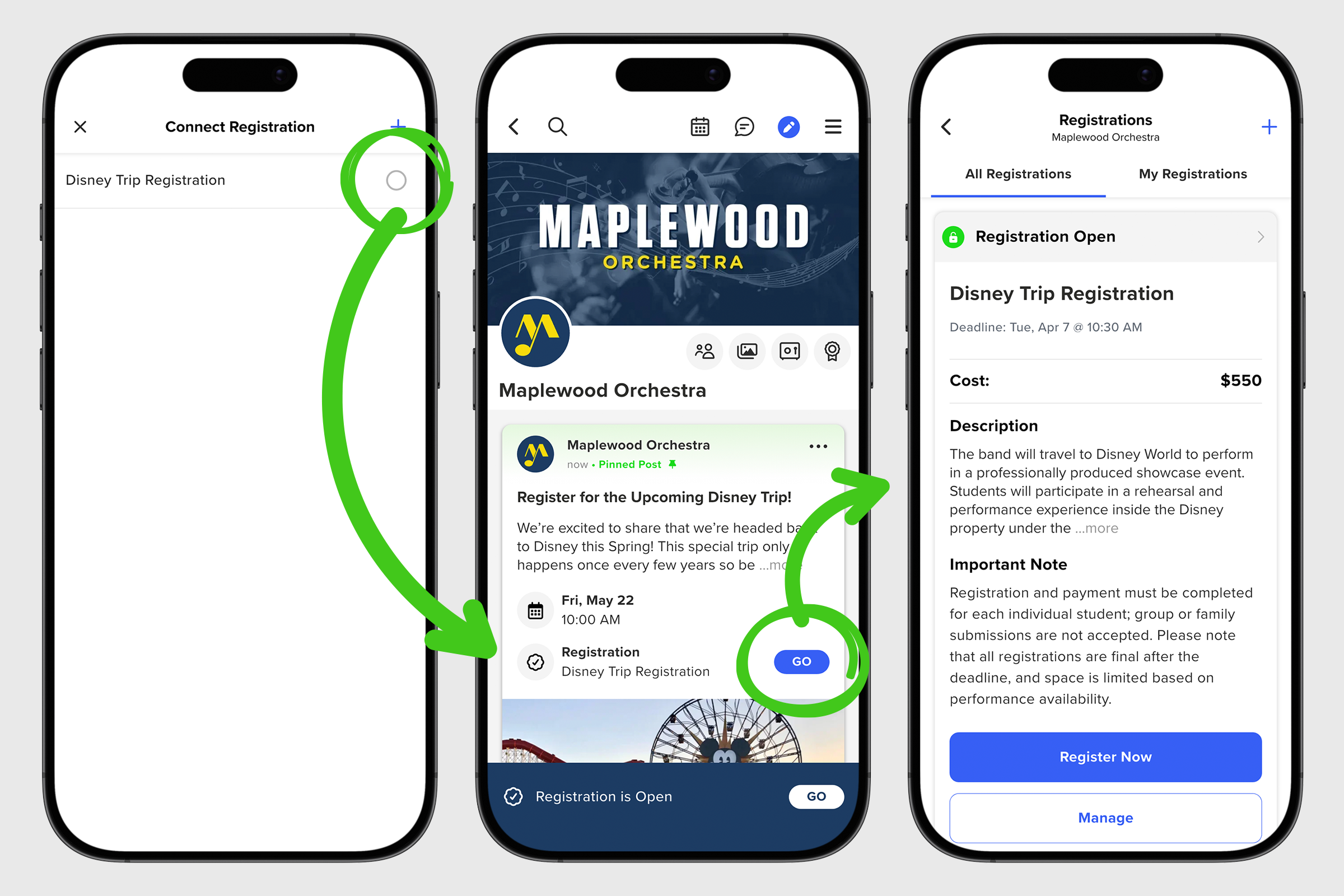
1. To add an existing registration to a new post, follow steps 1-5 above. When you arrive at the Connect Registration screen, select the existing registration from the list to attach it to your new post. All associated details, including the form, payment settings, and deadline, will automatically carry over.
2. After selecting the registration, you will return to the post screen to complete your post. Once everything looks good, tap Post to publish.
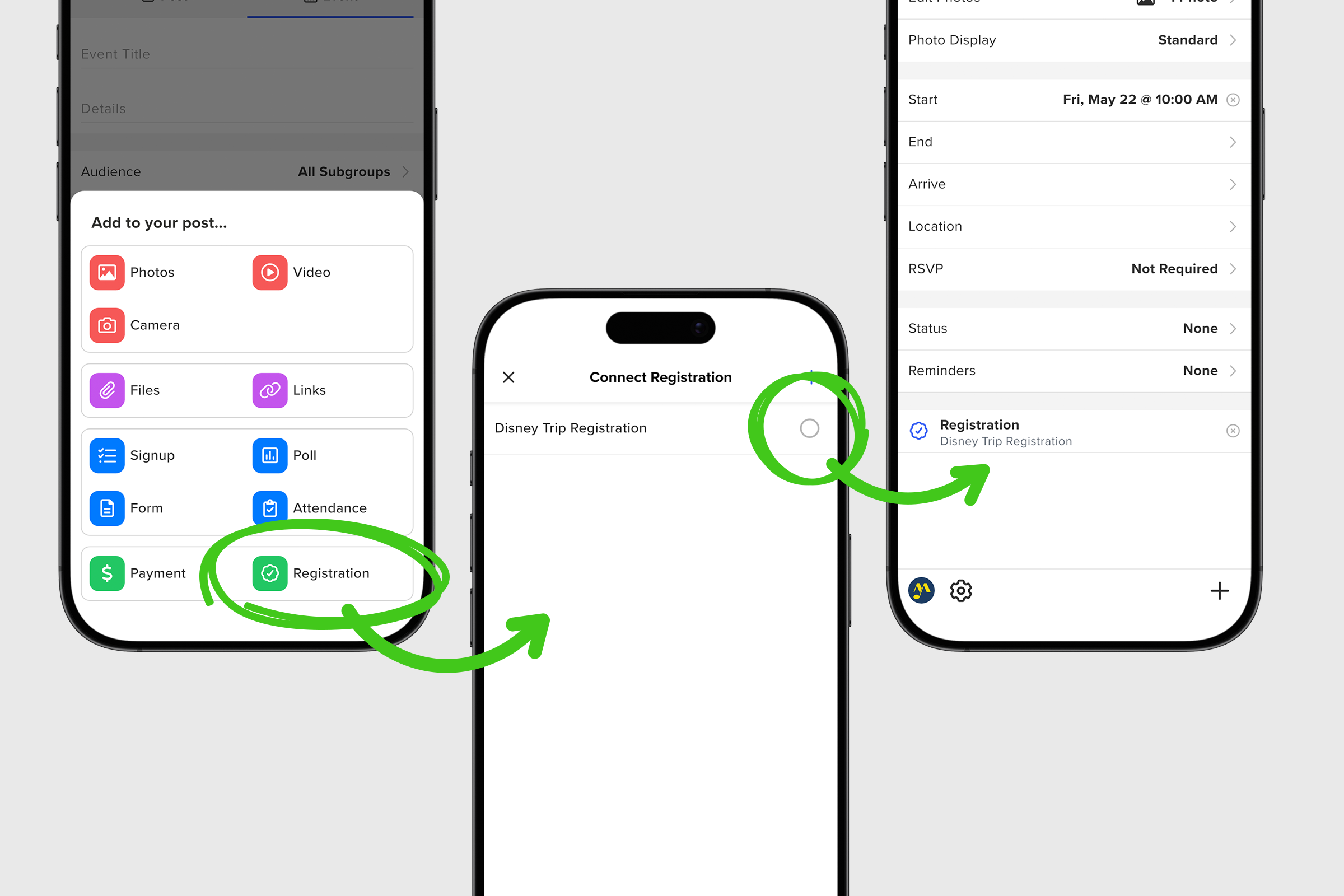
3. Once the existing registration is selected, you return to your post screen to finalize your post. When everything is in order, tap Post to publish.
Please note that if members need to register more than one person, they can do so. However, GroupSpot processes each registration individually.
Once your registration post is live, members can easily complete their form and submit payment in one streamlined experience. You can monitor responses, track payments, and manage your registrants directly within GroupSpot, giving you full visibility from start to finish. With everything in one place, creating and managing registrations becomes simple, organized, and stress free.


