

Sometimes conversations can drift off course and chat settings need to be adjusted. Fortunately, admins have several tools to manage communication, including limiting group chat, switching to one way communication, and controlling who can create chats. These settings help admins keep conversations productive and organized when it matters most.
Full group chat is enabled by default when a new group is created. To adjust this setting, follow these steps:
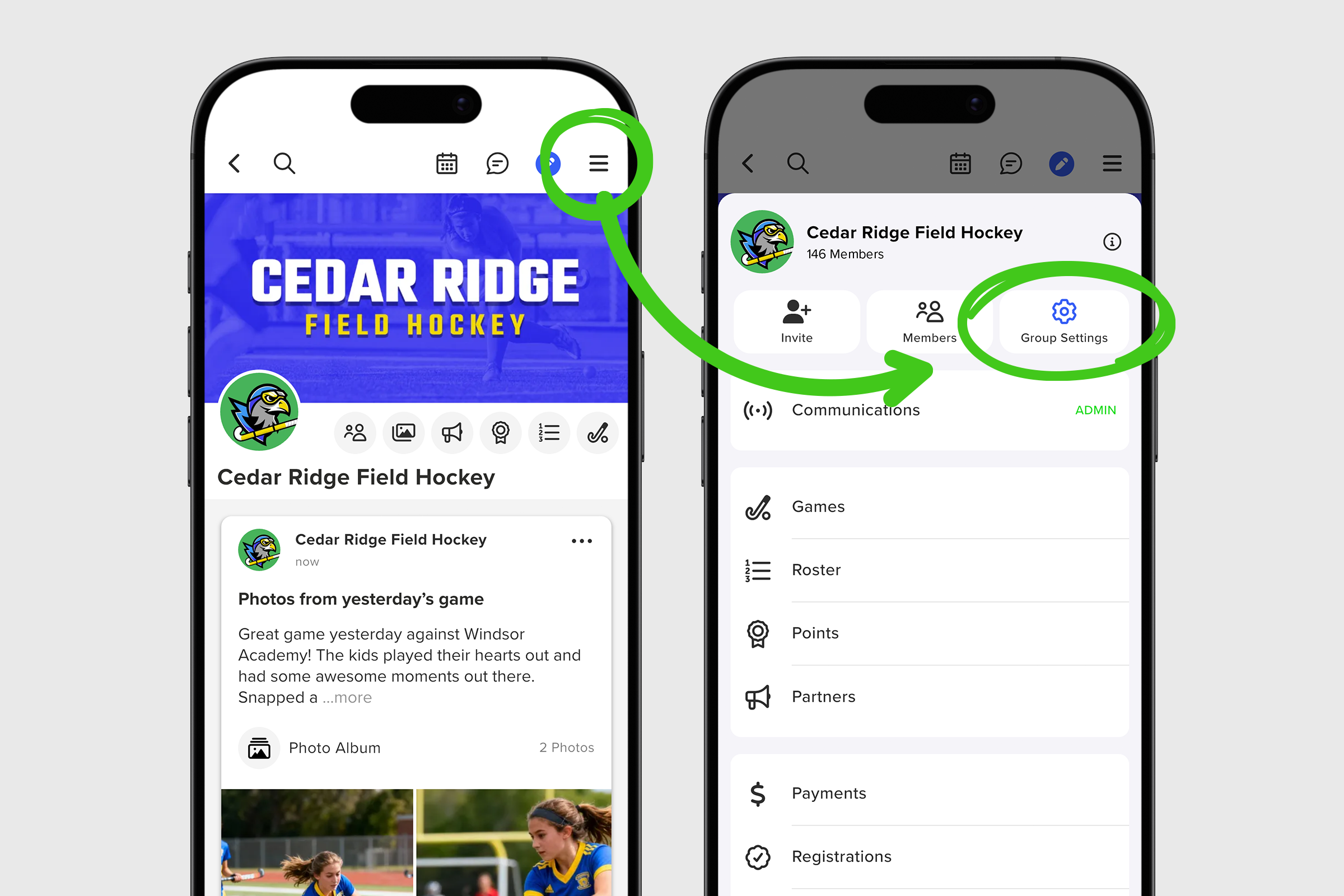
1. Open your group menu and select Group Settings.
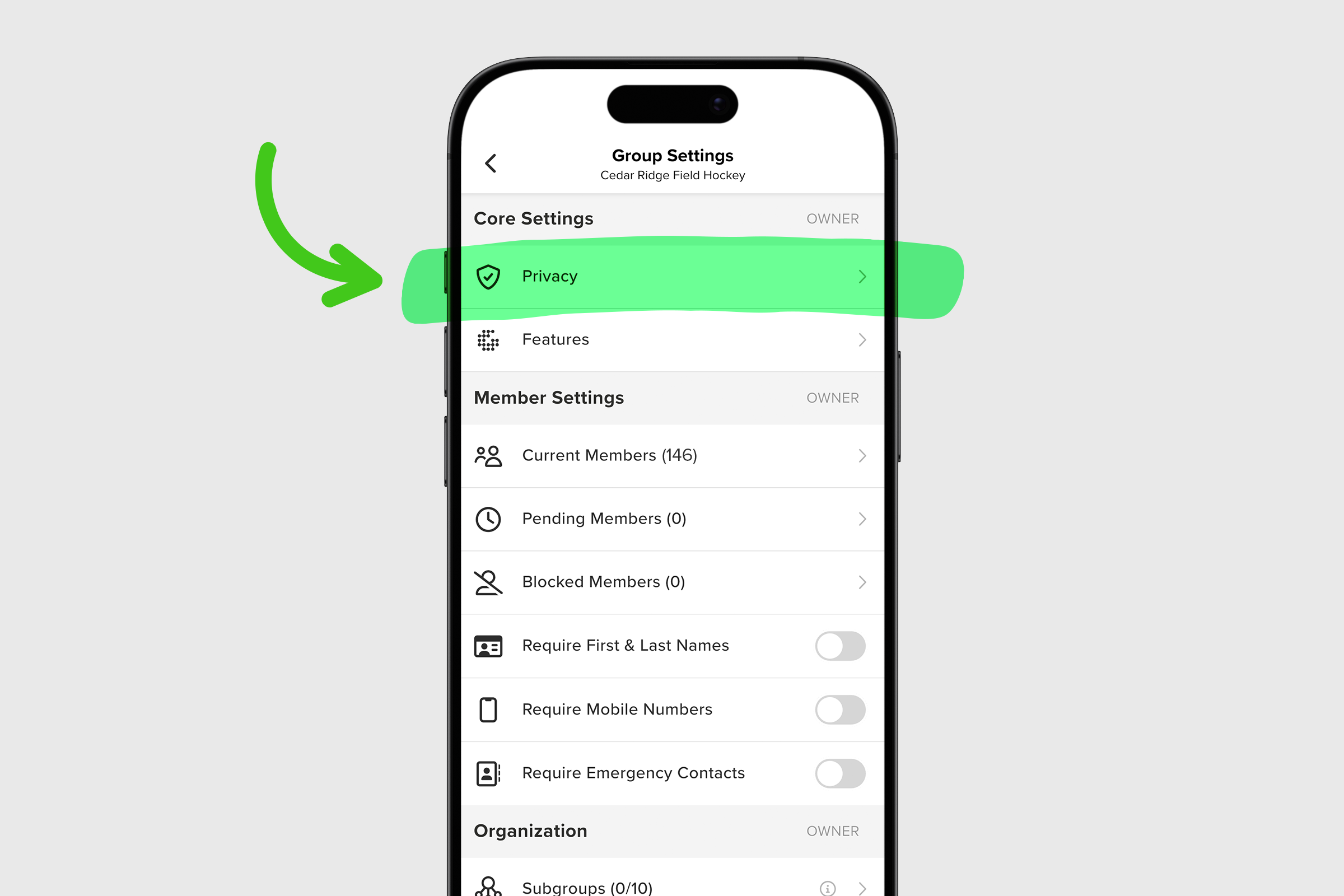
2. Scroll to Privacy under Core Settings
3. Tap Group Chat to open and adjust your settings.
4. Enabled is the default setting and allows all members to participate in chat.
5. Admins Only creates one way communication where members can view the chat, but only admins can send messages.
6. Disabled makes the chat read only and prevents all messaging in the full group chat.

7. Below these options, admins can also Disable Screenshots in your chat and you can Clear Chat History at any time for a fresh start.
Admins can also control who is allowed to create personal chats and smaller group chats outside the main group conversation. These settings apply only to members and do not affect admins.
1. Open your group menu and select Group Settings.
2. Scroll to Privacy under Core Settings.
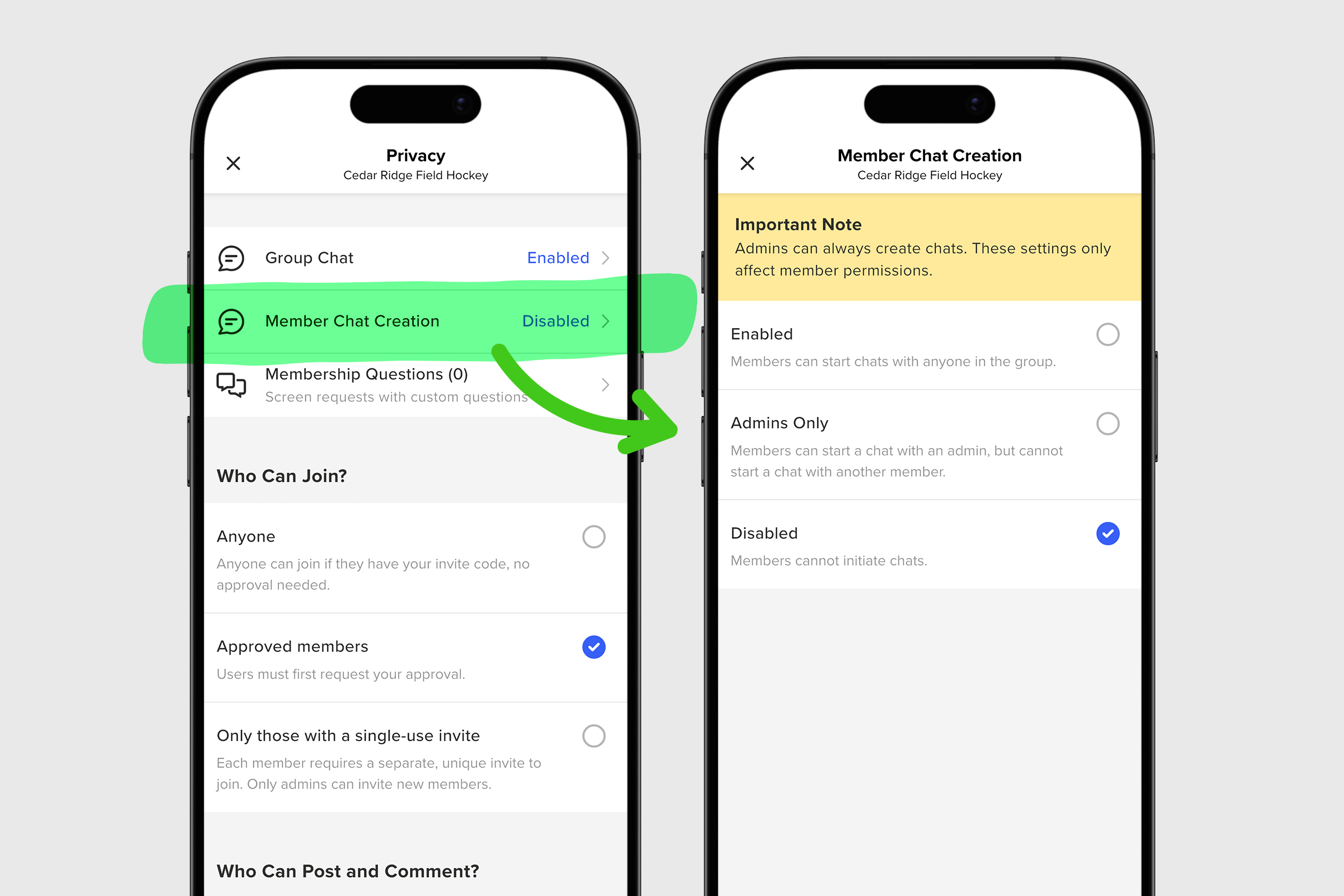
3. Tap on Member Chat Creation to open and adjust your settings.
4. Enabled is the default setting and allows members to start chats with anyone in the group.
5. Admins Only allows members to message admins, but not other members.
6. Disabled prevents members from starting new chats.
These settings give admins the flexibility to create the communication environment that works best for their group. Whether you want open discussion or tighter control, GroupSpot makes it easy to manage conversations with confidence.


