Group chats can sometimes get too noisy or off-topic for the liking of more serious Organizers. In the past, this often resulted in disabling group chat entirely or splintering conversations into smaller chat groups.
To help Organizers keep the group chat intact—without the banter—GroupSpot introduced a hybrid solution: one-directional group chat. With this setting, admins can post messages, while members can view but not reply. It’s a great way to maintain control of the conversation, eliminate distractions, and ensure important updates are seen by everyone.
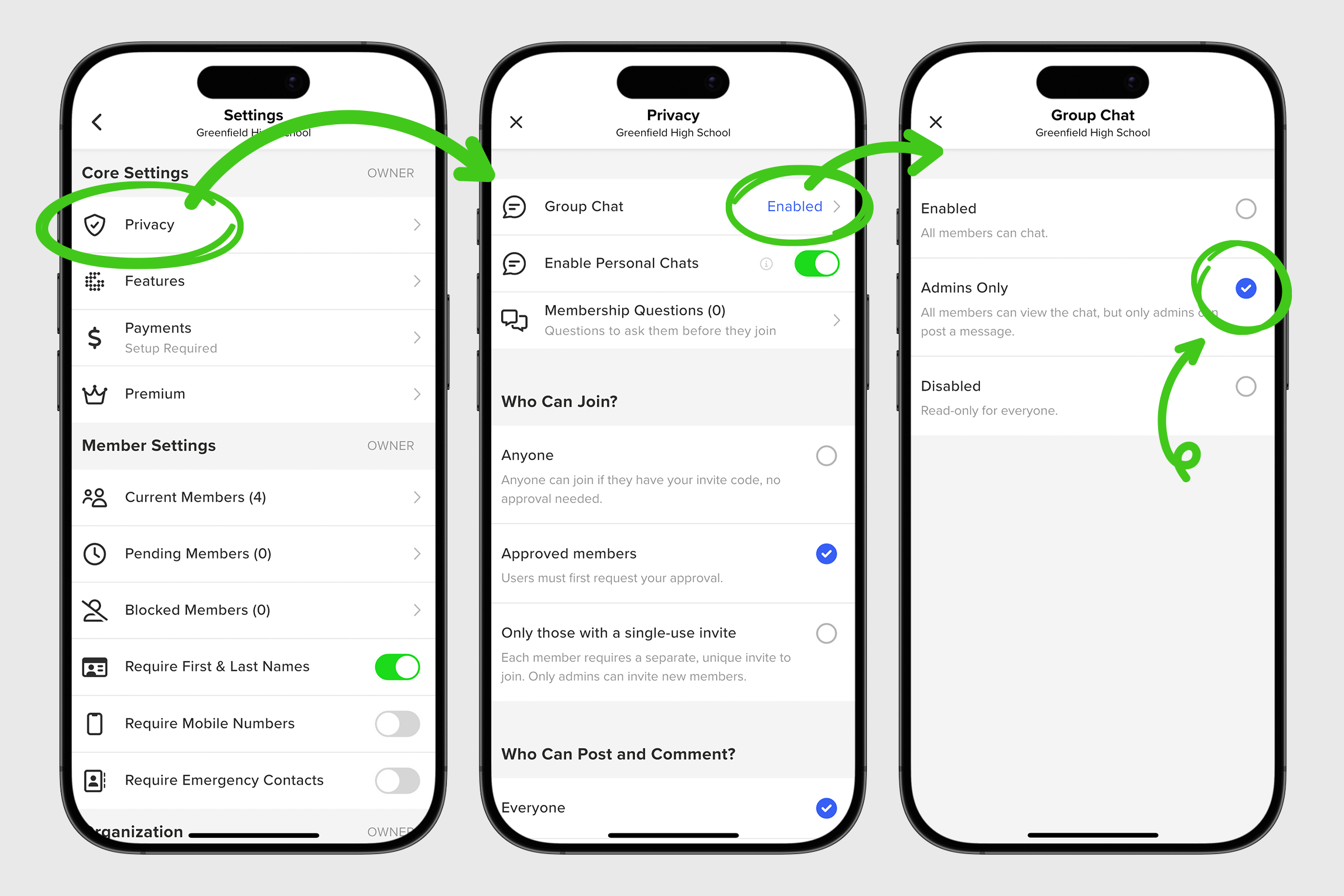
Here’s how Organizers can enable this setting:
1. Open your Group Settings from your group menu.
2. Scroll down and tap Privacy under Core Settings.
3. Tap on the top row that reads Group Chat.
4. Change the default Enabled setting to Admins Only by tapping the round radio button. Once your change is made, you will return to your privacy screen where you can hit the x to return to your Group Settings.