

Discount codes can be created by administrators and applied to payments and registrations for members. Discounts can be set as either a percentage or a fixed dollar amount.
Percentage discounts allow administrators to reduce the price by any percentage up to 100%. Fixed amount discounts allow you to subtract a specific dollar amount from the total price.
Once you decide which type of discount to use, you can keep the automatically generated discount code or customize it with something easier to remember. After that, your discount code is ready to use.
Follow these steps to create your first discount code for payments or registrations:
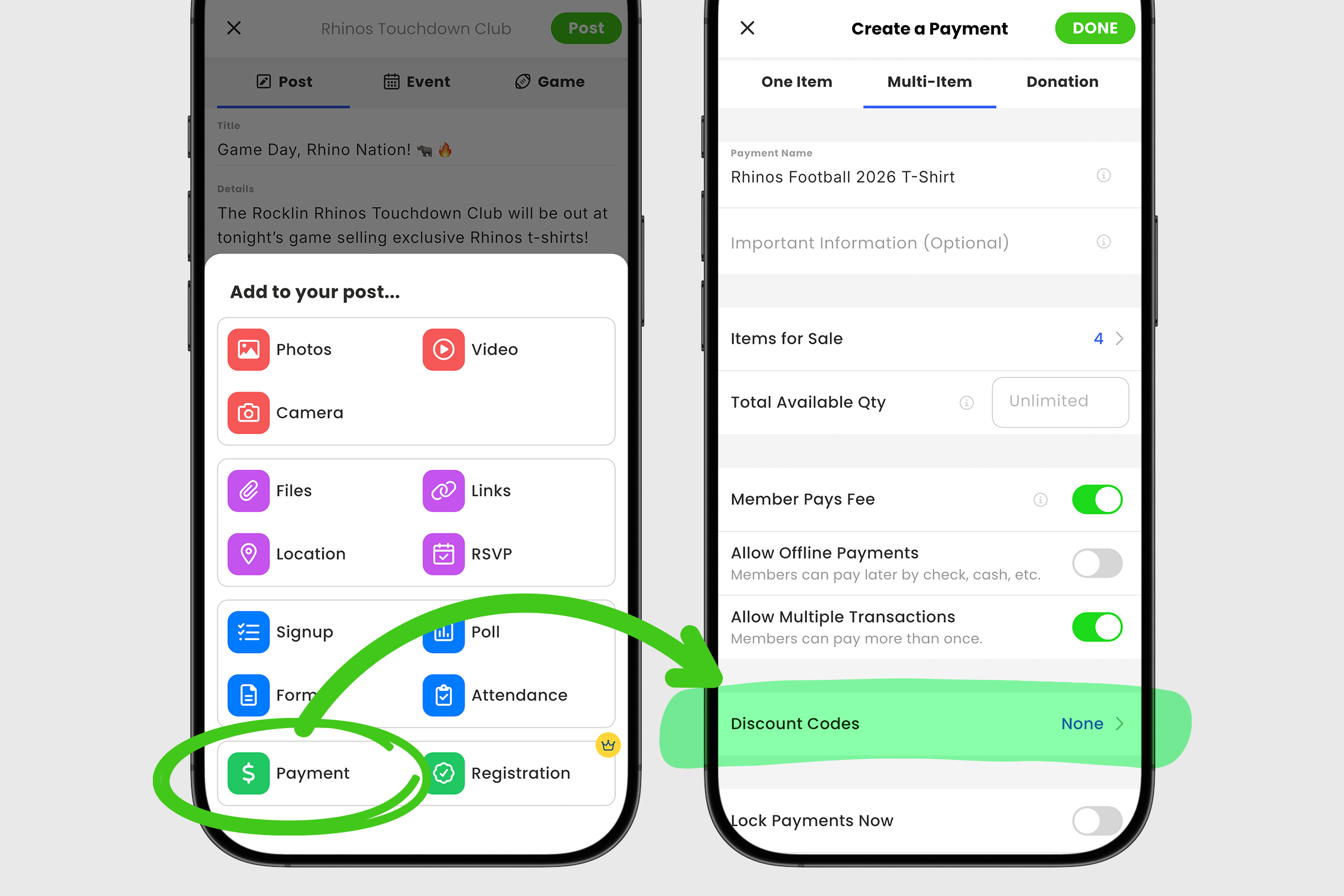
1. Create your new payment post or event and tap on the + icon to open your add-ons menu.
2. Select Payment from the list.
3. Locate the Discount Codes row, tap it to open the Discount Codes screen.
4. To create your first discount, click Add Discount.
5. Choose either Percentage or Amount and enter a % or $ value.
6. Use the six character Discount Code provided or replace it with your own custom code. Please note that discount codes are case sensitive and cannot contain spaces.
7. If you want to limit the number of times a discount code can be used, deselect Unlimited Uses and enter the maximum number of uses in the box below.
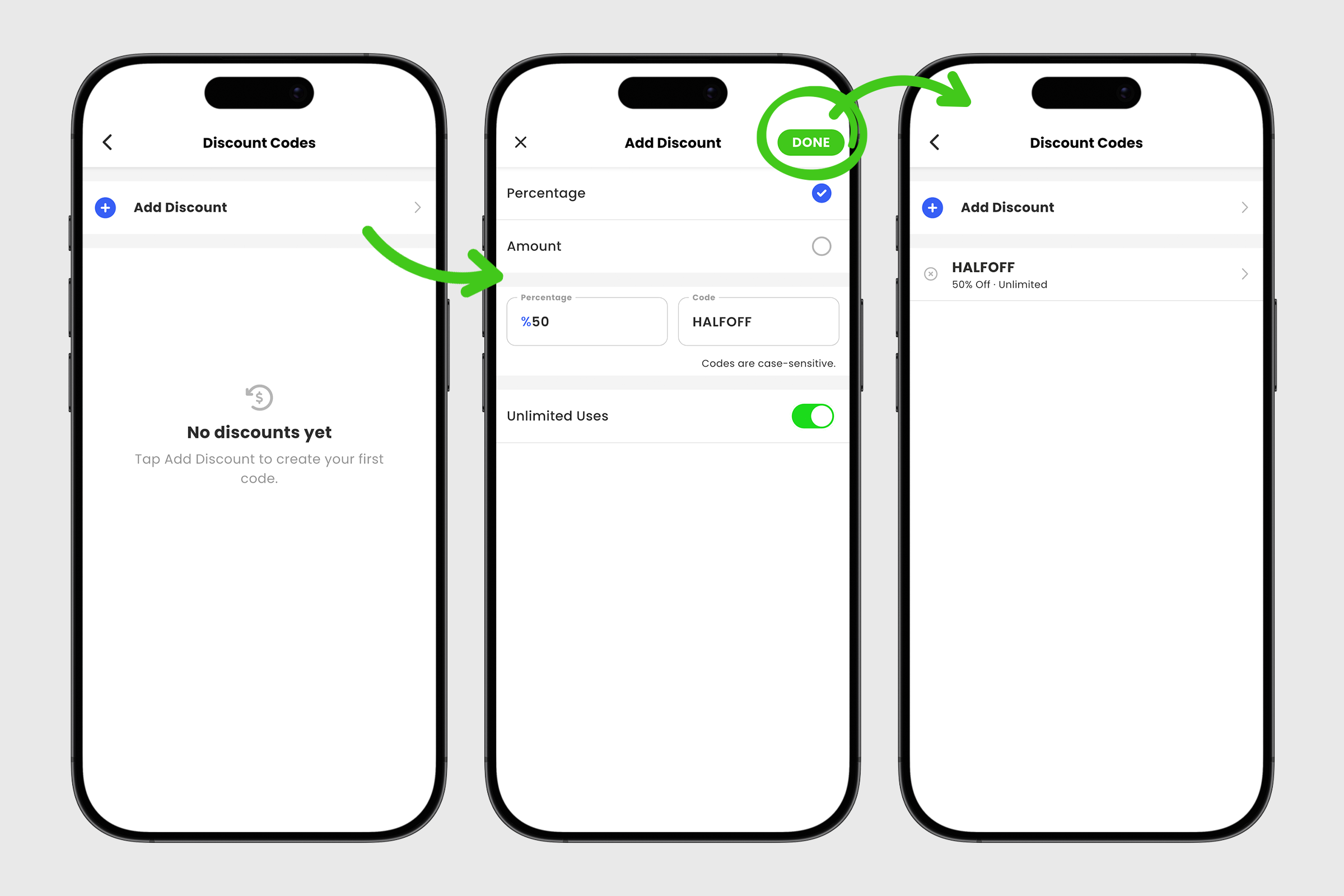
8. Tap DONE to save your new discount code. You can repeat this process if you would like to create additional discount codes.
9. Back on the payment screen, update your payment details if needed, then tap DONE again to add the payment to your post.
10. Tap Post to publish your payment post.
You can now share your discount codes with members who need them. Discount codes are a simple way to reward members, offer promotional pricing, or provide flexibility while making payments and registrations easier to manage.v


