

There may be times when your group needs access to funds before a payment is fully closed out. A one time advance payment can help cover expenses such as deposits, vendor down payments, or other costs while keeping your payment open to continue collecting the remaining balance.
Requesting a one time advance payment is simple. Before submitting a request, keep in mind that the advance will include all currently available funds, purchases included in the advance can no longer be refunded through GroupSpot, and your payment will remain open for future purchases. A minimum available balance of $5,000 is required to process an advance payment. Follow the steps below to get started:
1. Administrators and members with permission to manage payments and registrations start by opening the payment post.
2. Locate the Payment or Registration box and tap the blue Manage button.
3. Select Manage Funds at the bottom of the summary screen.
4. As long as you have the minimum of $5,000 in available funds, you will be able to execute a one time advance payment. If you don’t, you would only have the option for a final closeout.
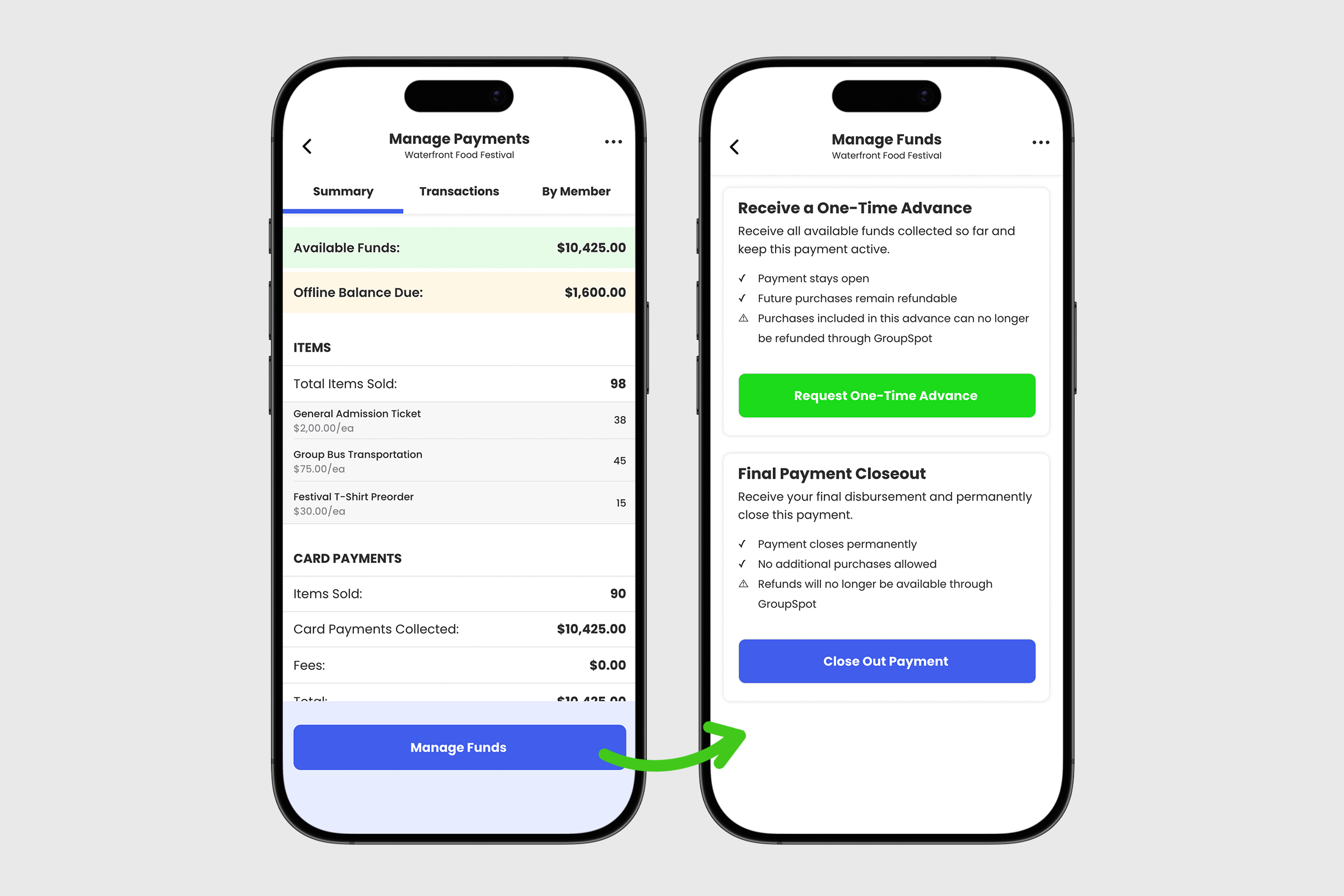
5. Assuming you have the funds, choose how you would like to receive your money: ACH bank transfer or paper check.
6. Once your selection is made, tap the green Request One-Time Advance button.
7. Next, tap Confirm One-Time Advance.
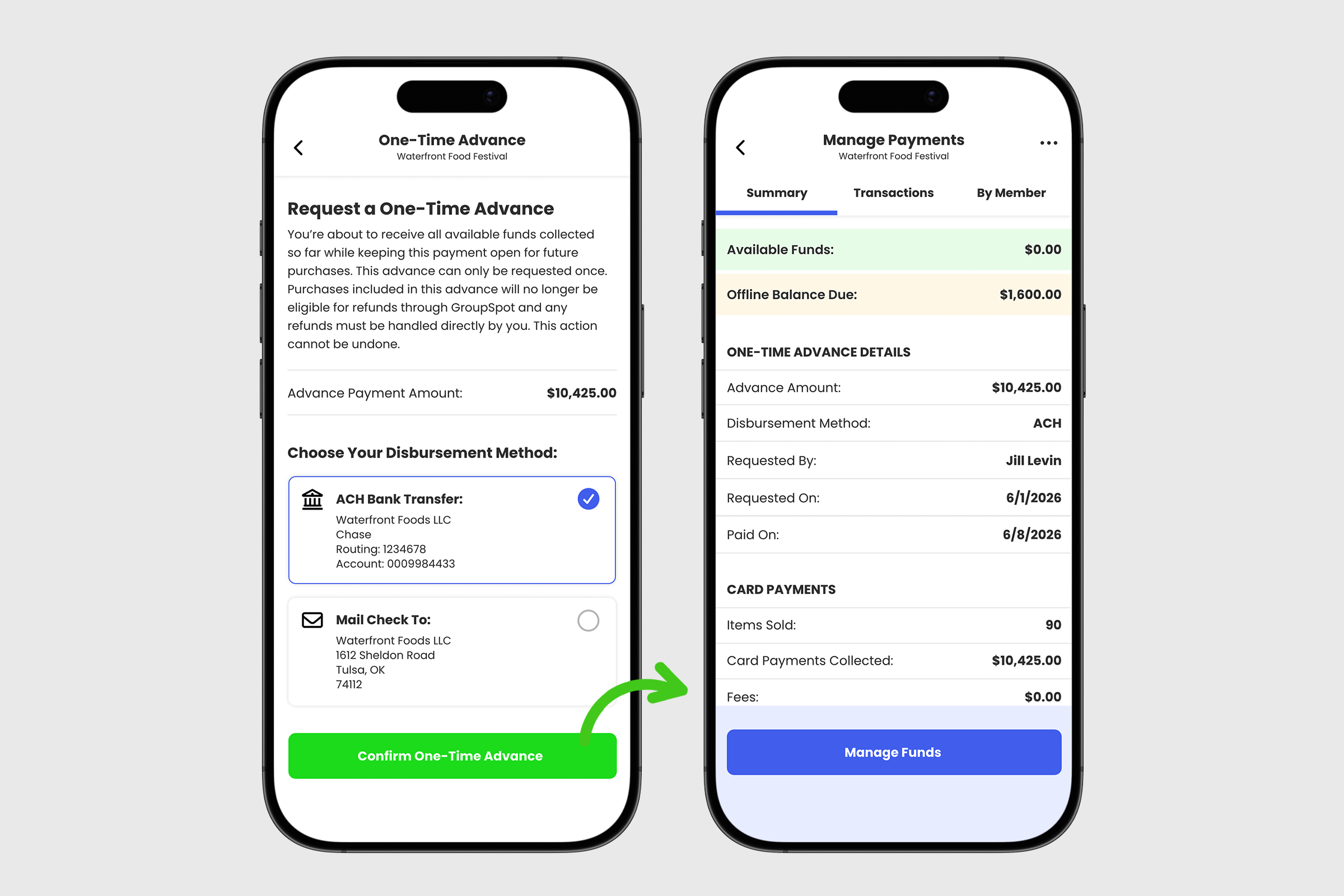
Once submitted, your one time advance request will be processed and delivered using your selected payment method. Funds are typically made available within one week. Your payment will remain open so you can continue collecting the remaining balance.


