

There may come a time when an admin needs to address disruptive behavior in chats or comments. When that happens, GroupSpot gives you the ability to silence a member, preventing them from sending chat messages or posting comments. The member can still view posts, comments, and chats, but they can no longer participate. Here's how to silence a member:
1. Open your group's Member Directory.
2. Locate the member you want to silence.
3. Open their member profile, scroll down to Silence Member, and turn on the toggle.
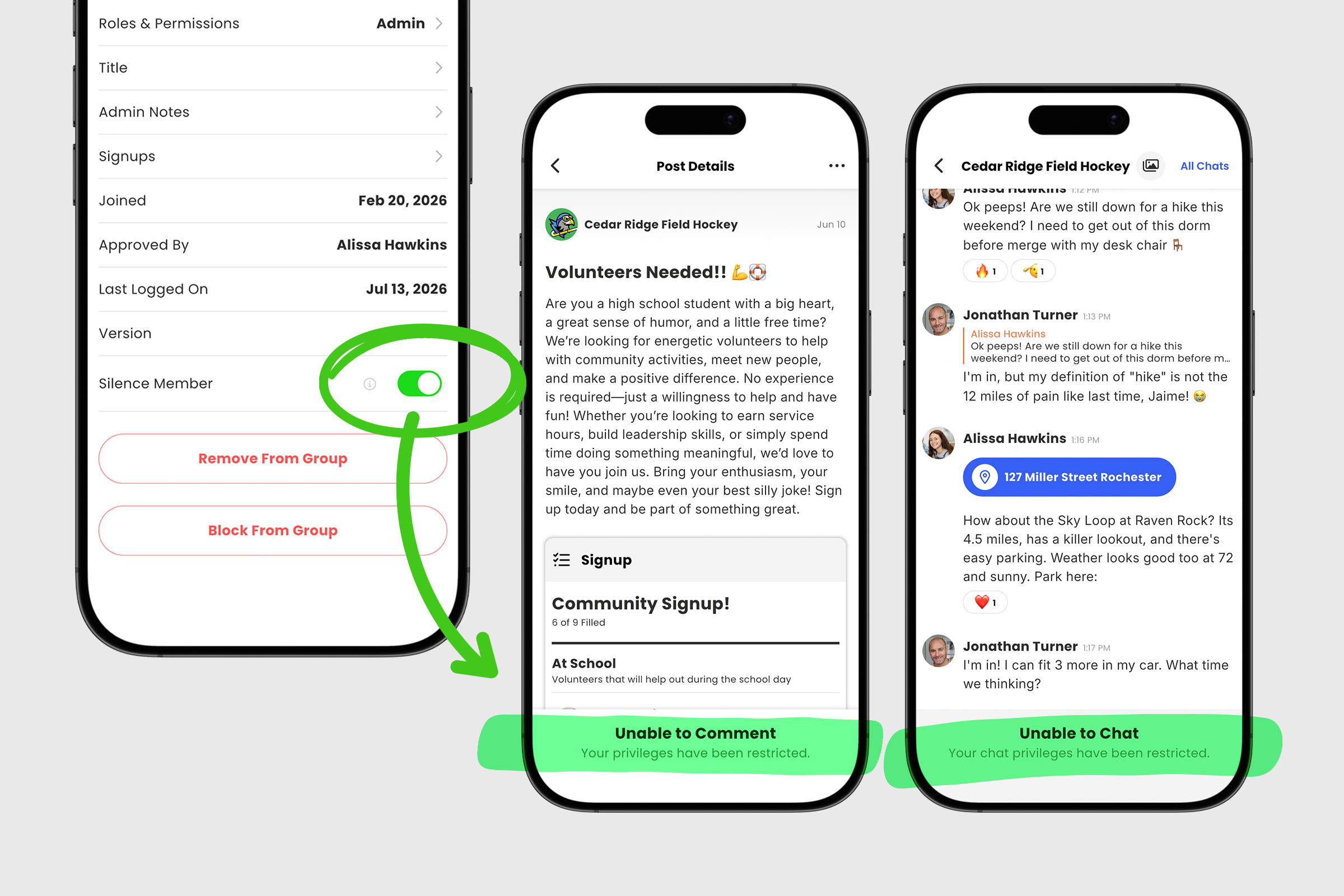
You can review the restrictions that will be applied to the member before enabling Silence Member by clicking the information icon.
If needed, you can lift these restrictions at any time by returning to the member's profile and turning off the Silence Member toggle. This gives admins a simple way to de-escalate situations while keeping the rest of the group engaged in a positive and respectful environment.


