

Using direct links in your communications is a great way to help members quickly find important content. For example, admins can share a link to an important post in chat, direct members to an event post to RSVP, or remind members to pay their dues by linking directly to the relevant post.
Sharing direct links across your communications helps keep members focused on the content that matters most. Here’s how to extend your reach using GroupSpot links.
Start by Copying Your Link
To use this feature, first locate the post you want to share and copy its link.
1. Tap the ••• menu on the post you want to share.
2. Select Copy Link.
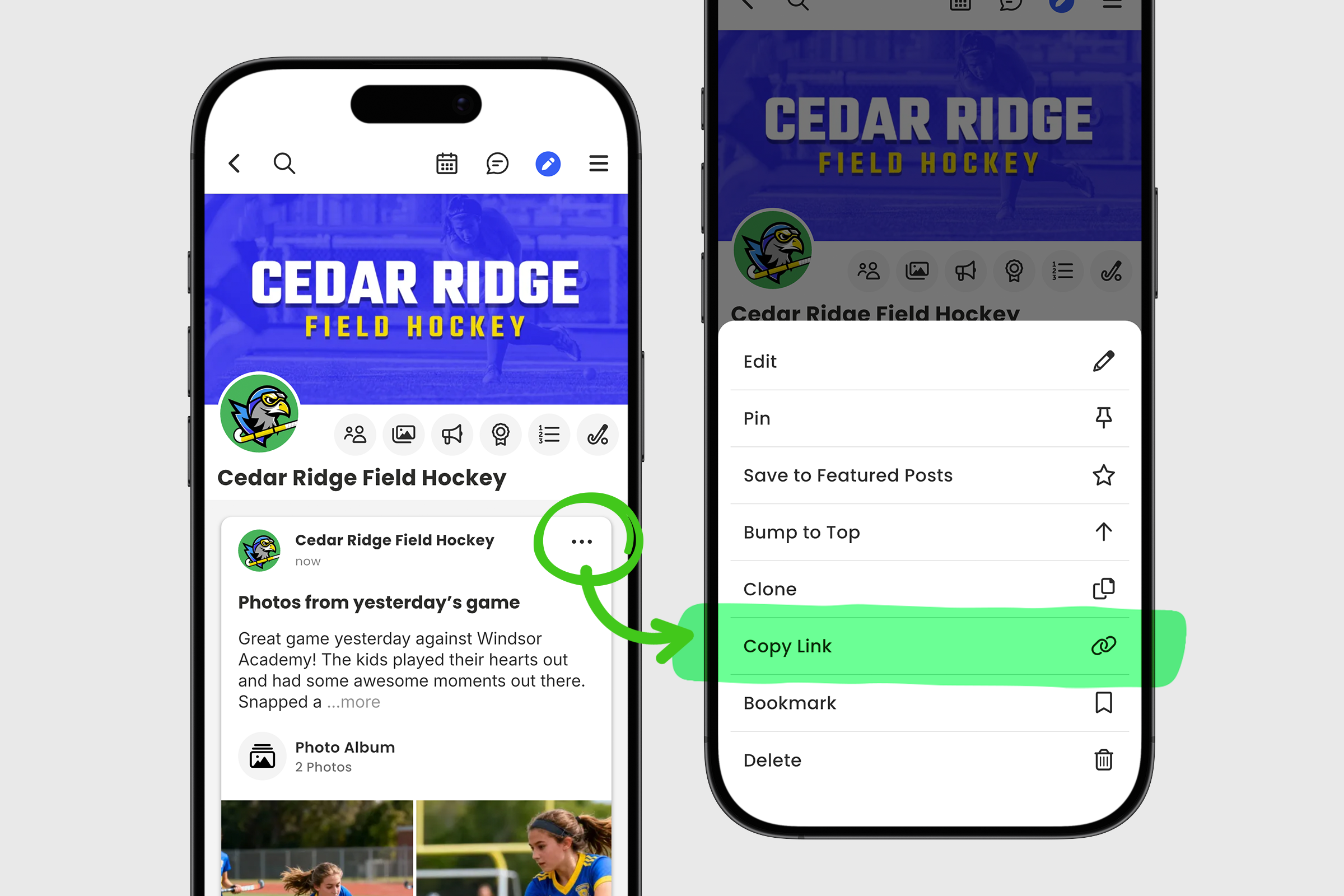
Once the link has been copied to your clipboard, you can paste it into GroupSpot emails, chats, and notifications. You can also share the link through personal email or chat.
Important: You can share a GroupSpot link outside of the app, but only members of the GroupSpot group will be able to access the linked content.
This makes it easy to use GroupSpot links across your communications while keeping group content accessible only to the members of your group.


