

We realize that active groups can generate a lot of notifications. One of the great things about GroupSpot is that personal notifications can be adjusted on a group-by-group basis. If one group is especially chatty, you can simply dial back notifications by turning off chat updates for that specific group.
There are also times when you do not want to adjust individual group settings, but instead want to silence all notifications with the push of a button. GroupSpot makes this easy with Do Not Disturb settings found in your Account preferences.
Here’s how to enable Do Not Disturb:
1. From your main groups screen, tap the profile icon in the upper navigation to access your Account Settings.
2. Select Preferences halfway down the screen.
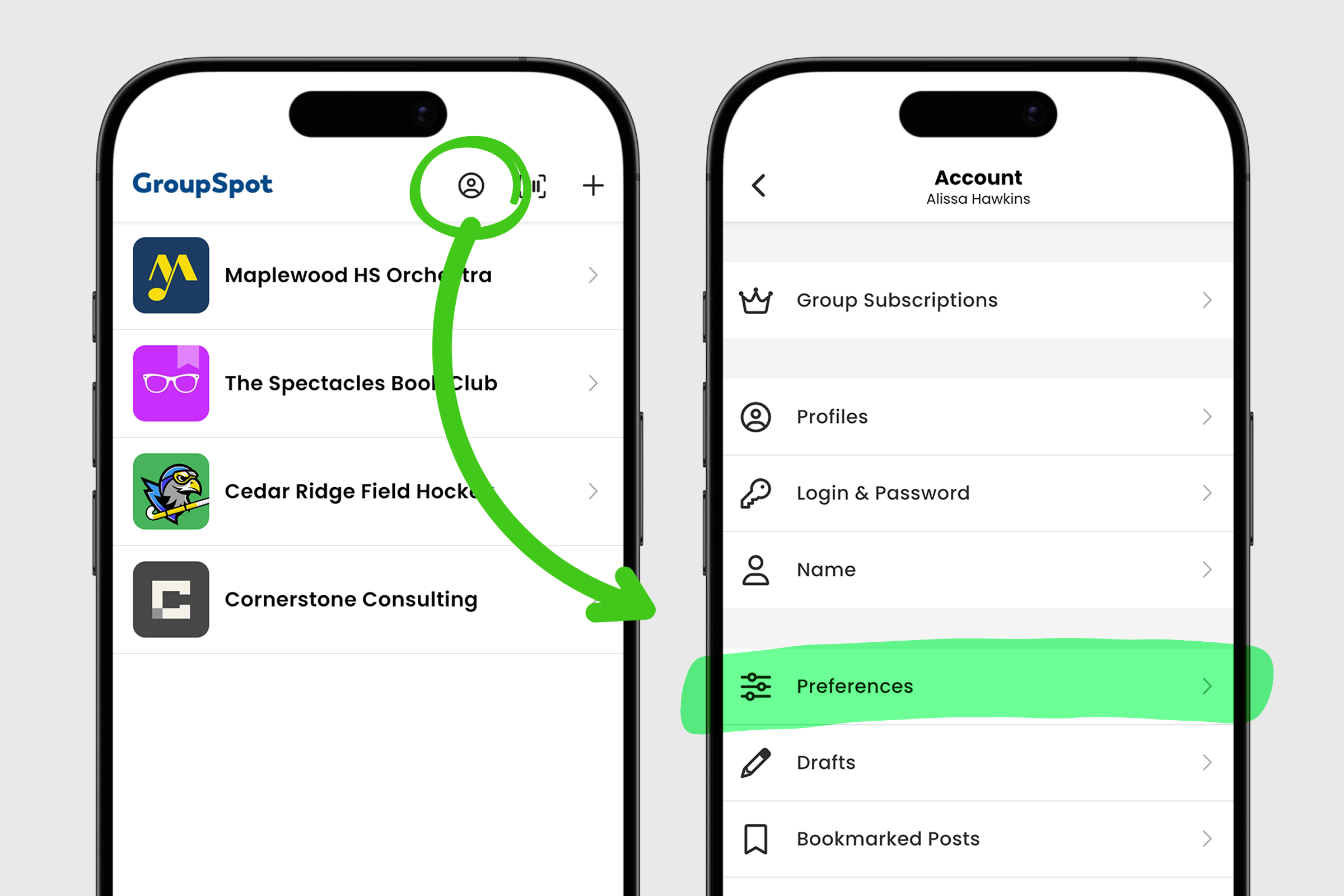
3. Toggle on Do Not Disturb from your list of personal preferences.
4. Return to your main groups screen and you will notice a red notification badge with a line through it, indicating that Do Not Disturb is enabled.
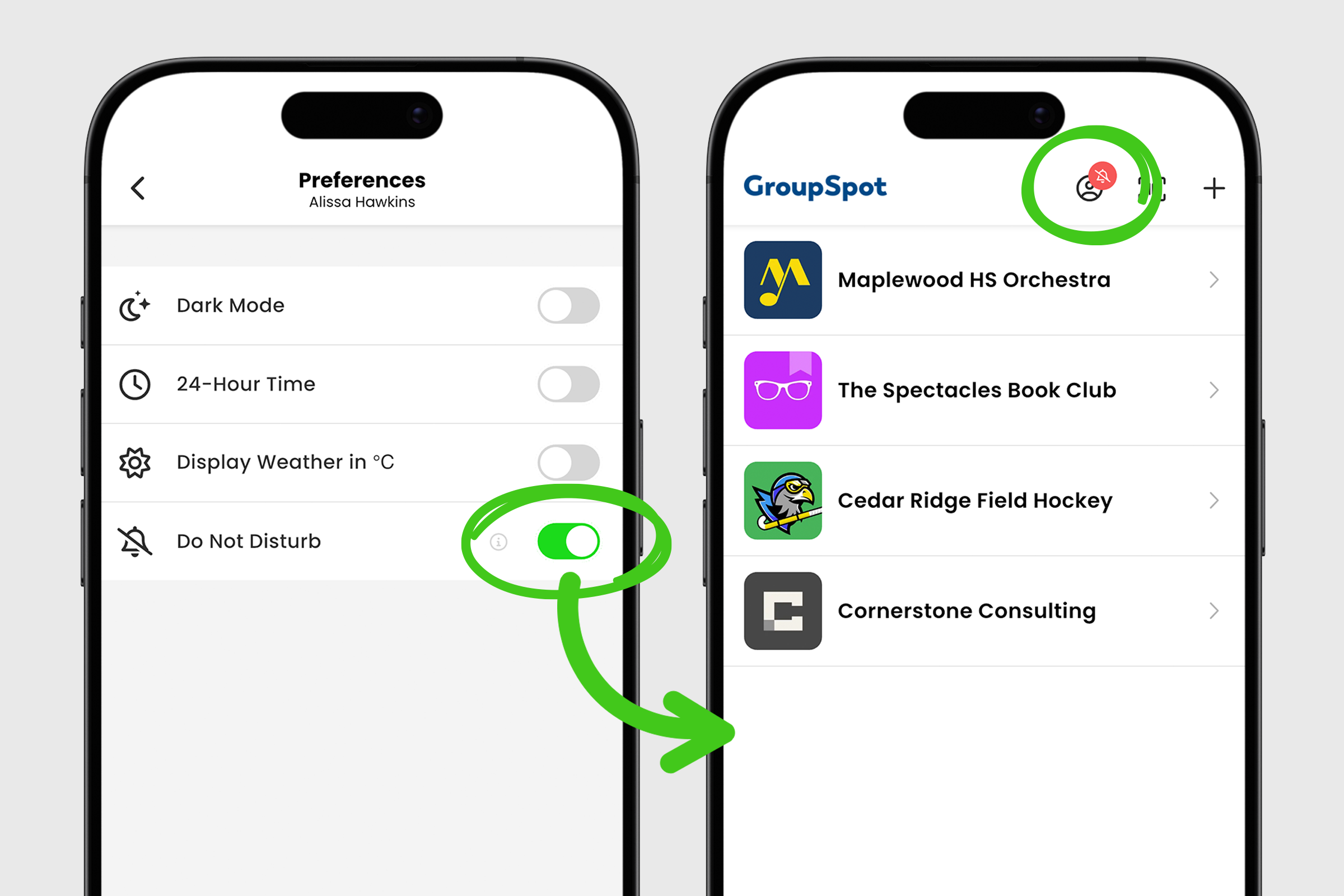
5. To disable Do Not Disturb, repeat the steps above and turn the toggle off.
With Do Not Disturb enabled, you stay connected to your groups while controlling when notifications reach you.


